Search This Blog

Showing posts with label Development Appreciation. Show all posts

Wednesday, May 8, 2024

Roberto Moreno | Prop Design

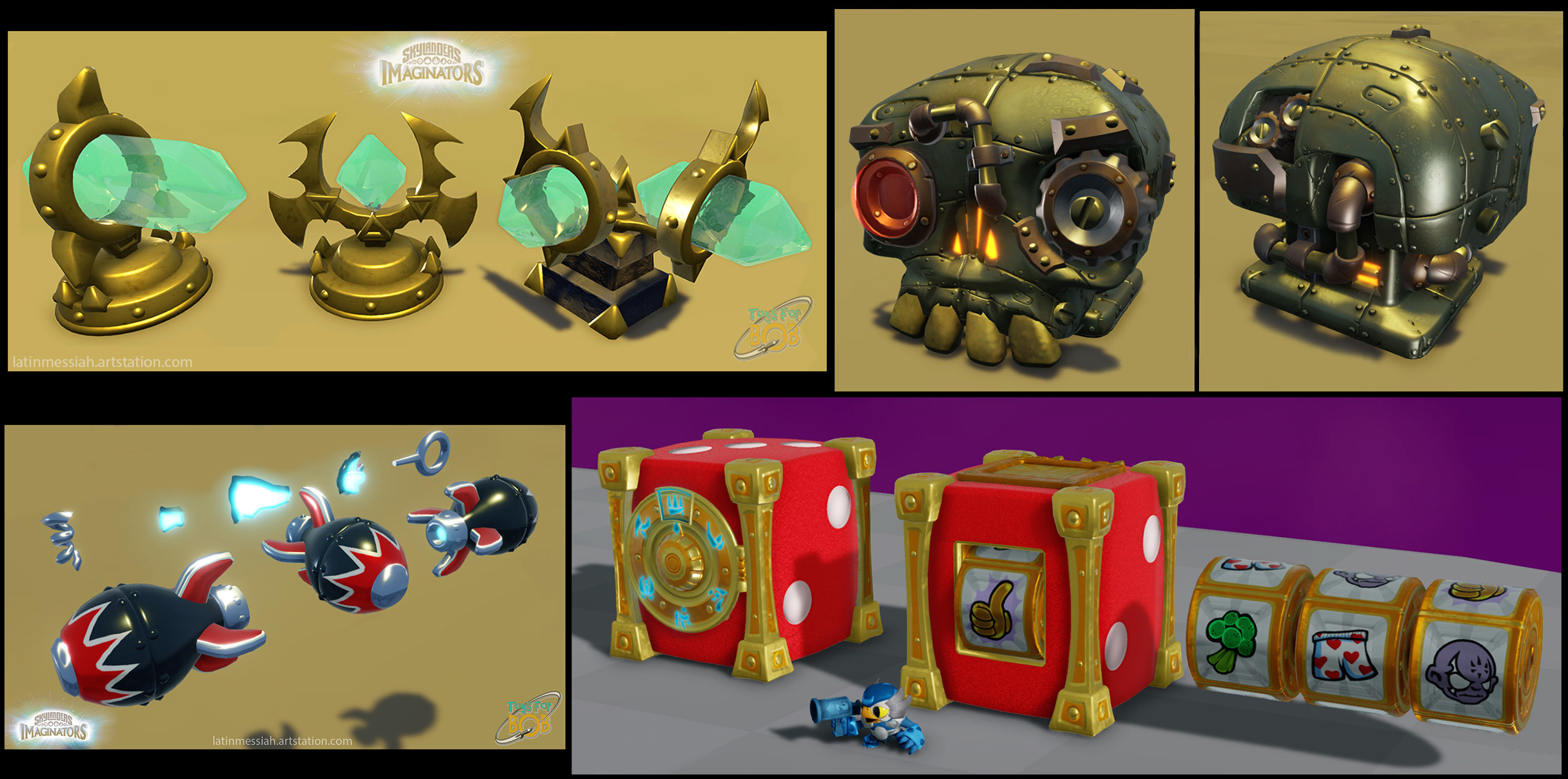
Roberto Moreno is an environment / prop artist that worked on Imaginators and Trap Team (I can't find info regarding if they have or haven't worked on Superchargers). He did a majority of prop models and designs for the games, such as the various gold that you find laying around, or the breakable objects that you don't even truly spare a glance. If you want to check out some more concepts I have excluded, here is his site!
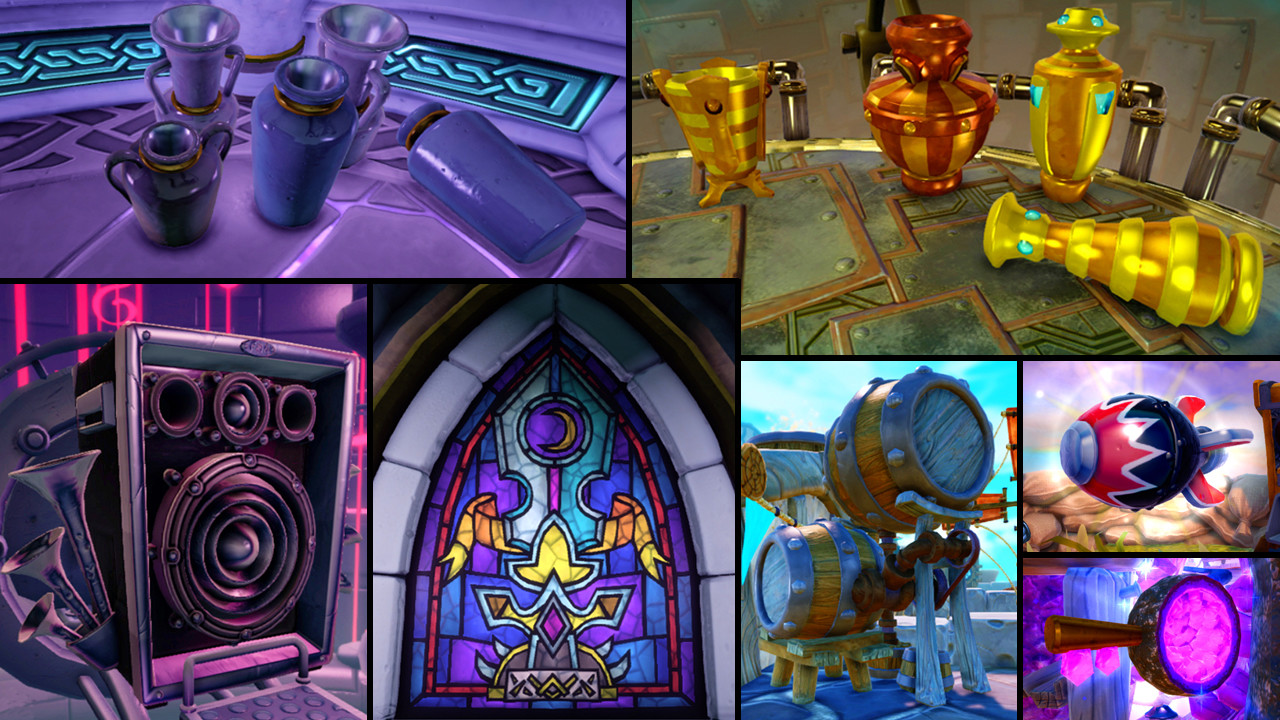
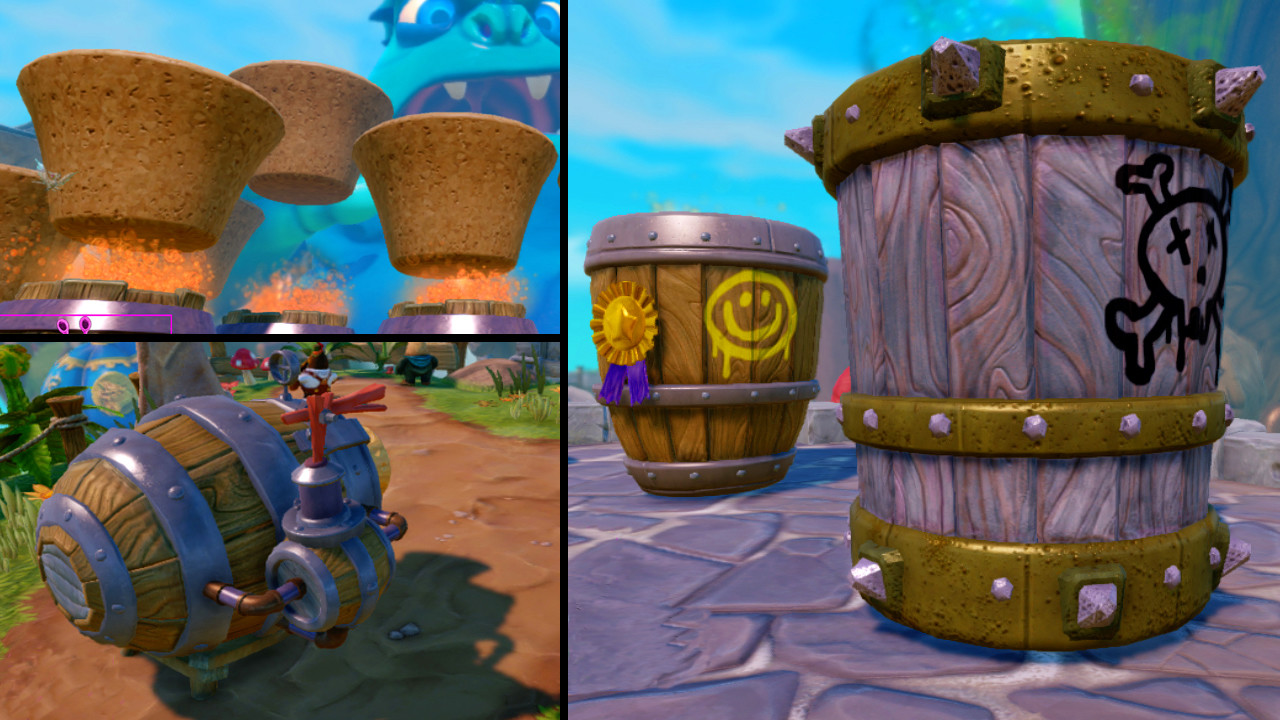
Various props Roberto made for Trap Team

Roberto also mentions the extra setup it takes for breakable props, "These props were interactive in some form or another and required extra setup time and working with animators, level designers, and technical artists to get them to work as intended, whether it be rigged animation sequences, pick-up items, or destructible props."
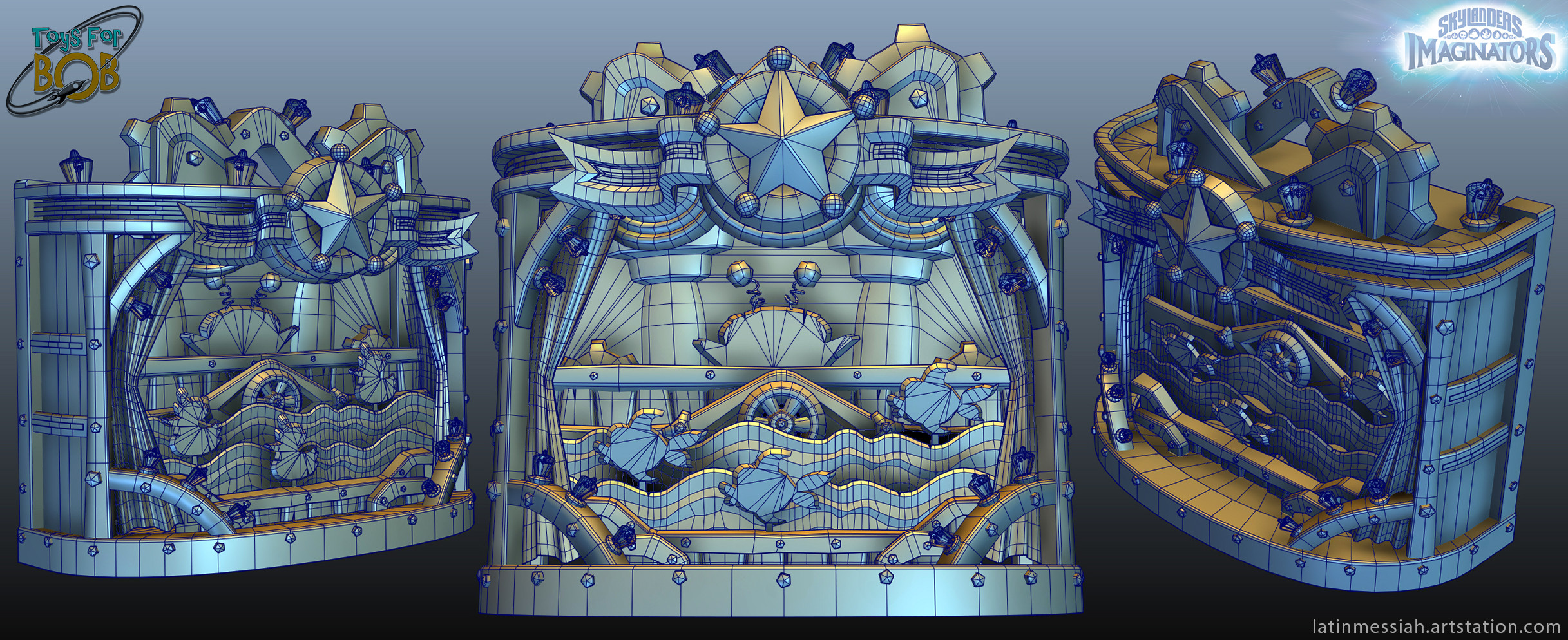
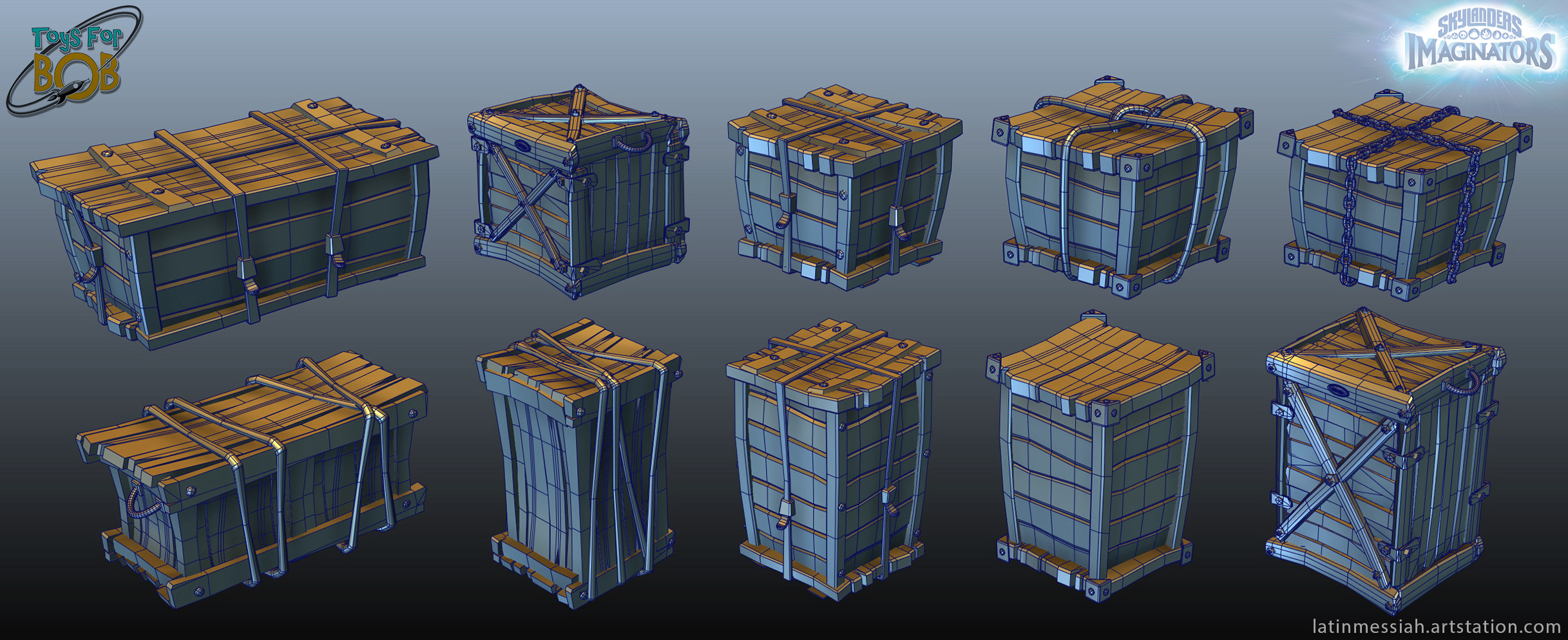
Props that would require additional setup

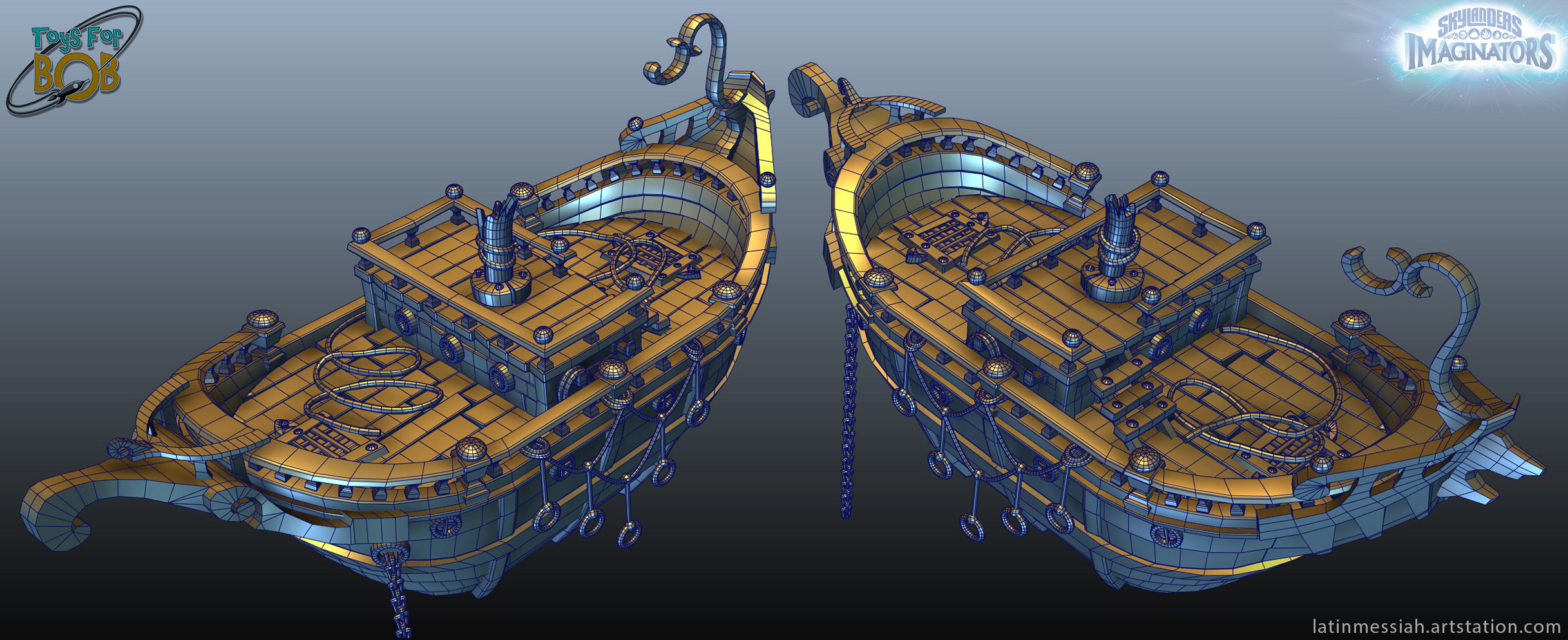
"I worked as an environment artist specializing in props while [working] on Skylanders. Most of the textures were provided by our sister studio Vicarious Visions, who also worked on Skylanders at the time. I modeled, unwrapped, optimized, animated, and set up for destructibles, as needed"
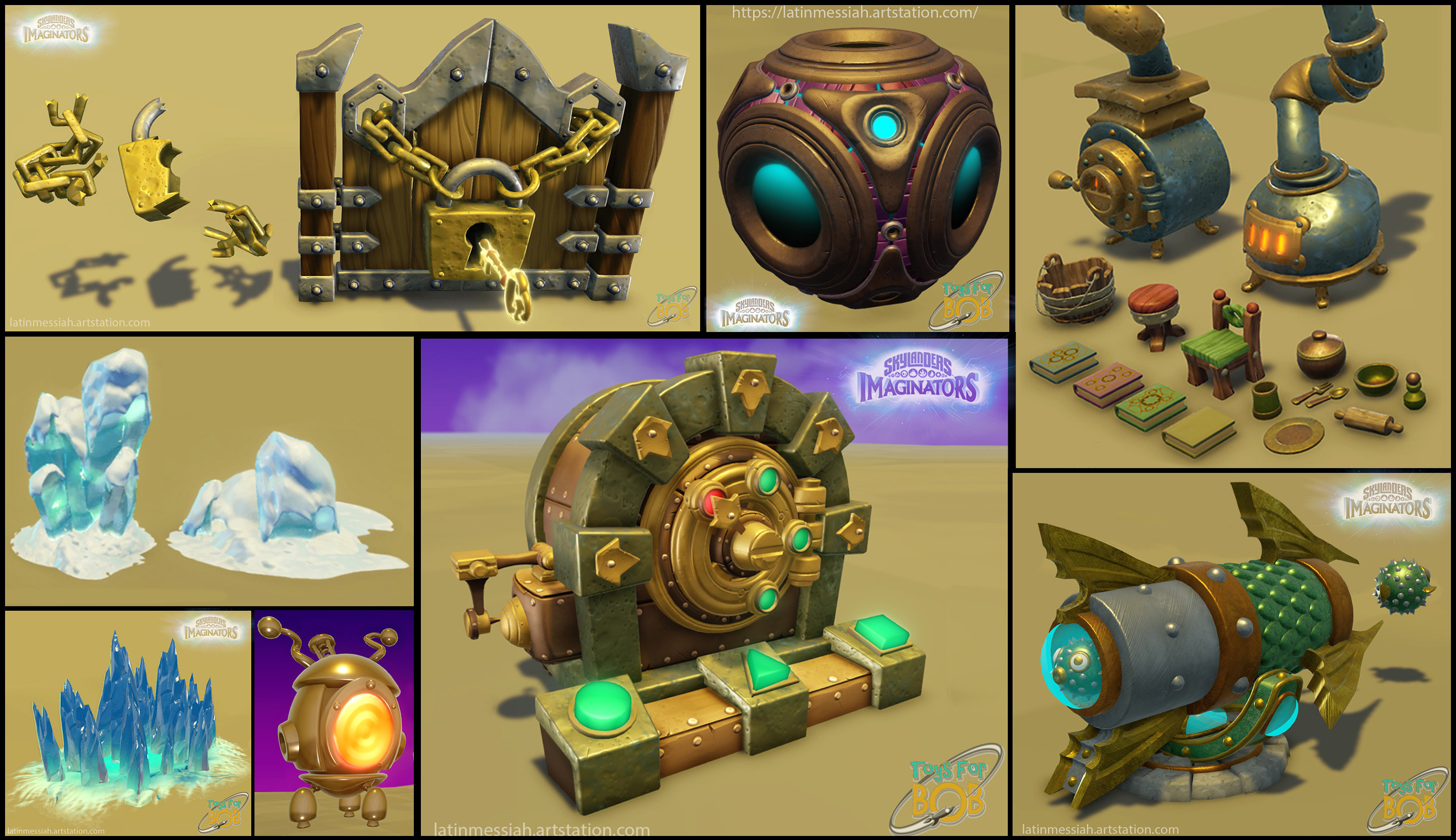
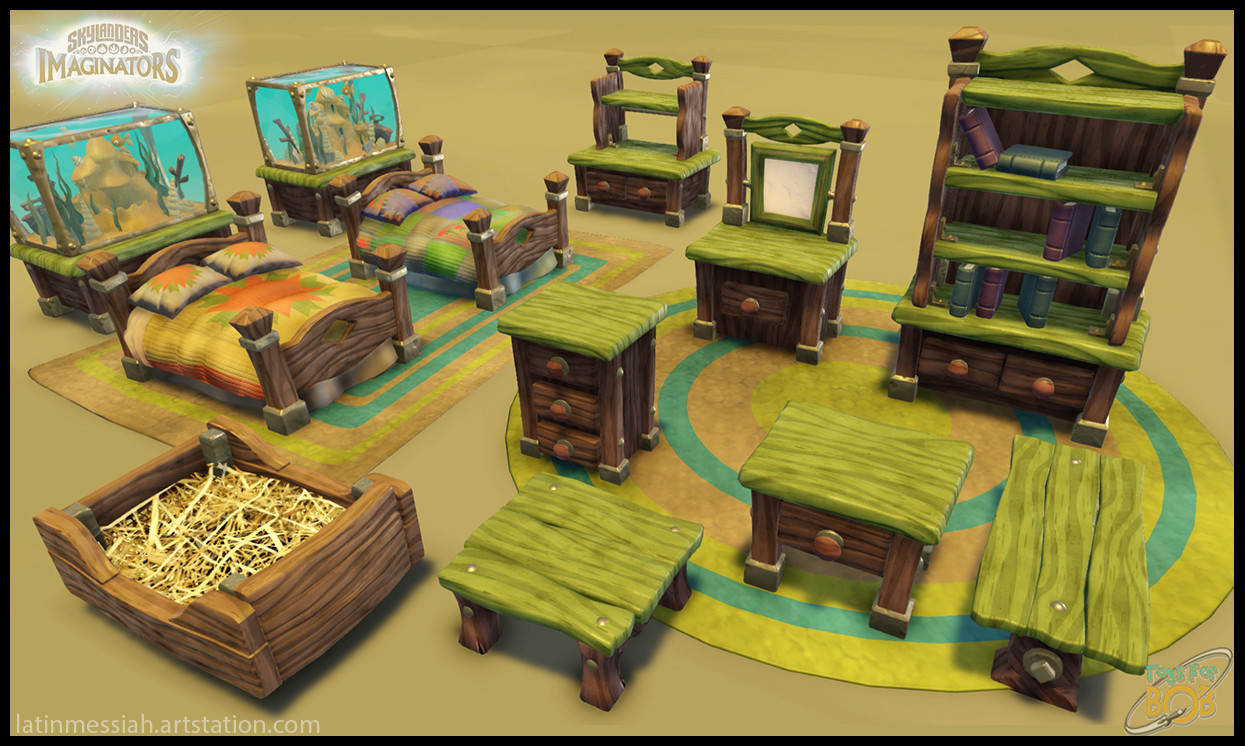
I bet it takes a hell lot of time to get this all done- Roberto has a ton of images of prop sets that even if I wanted to include them all here, I probably wouldn't be able to! Again I have linked his site just in case you want to check out all of it.
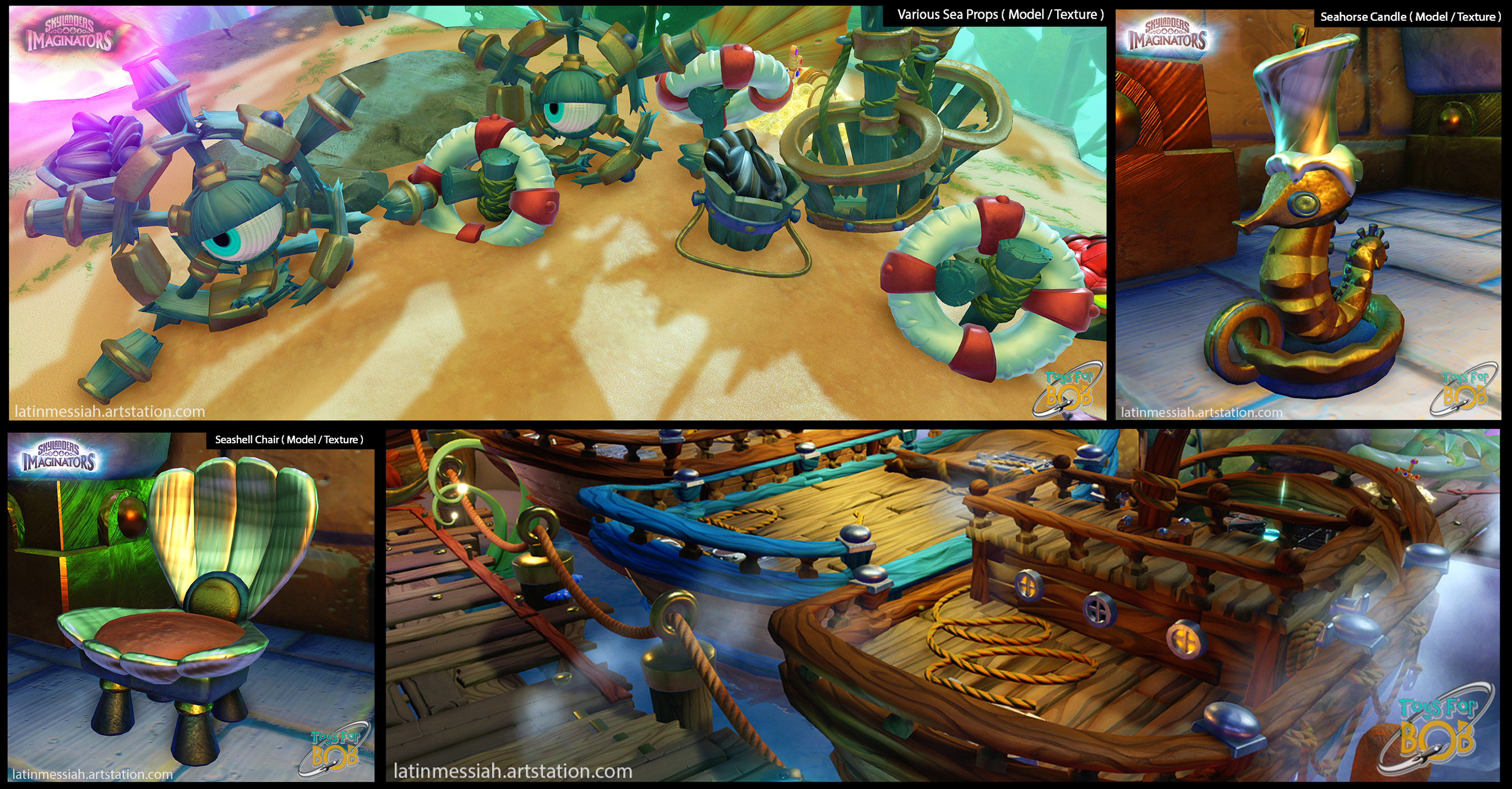
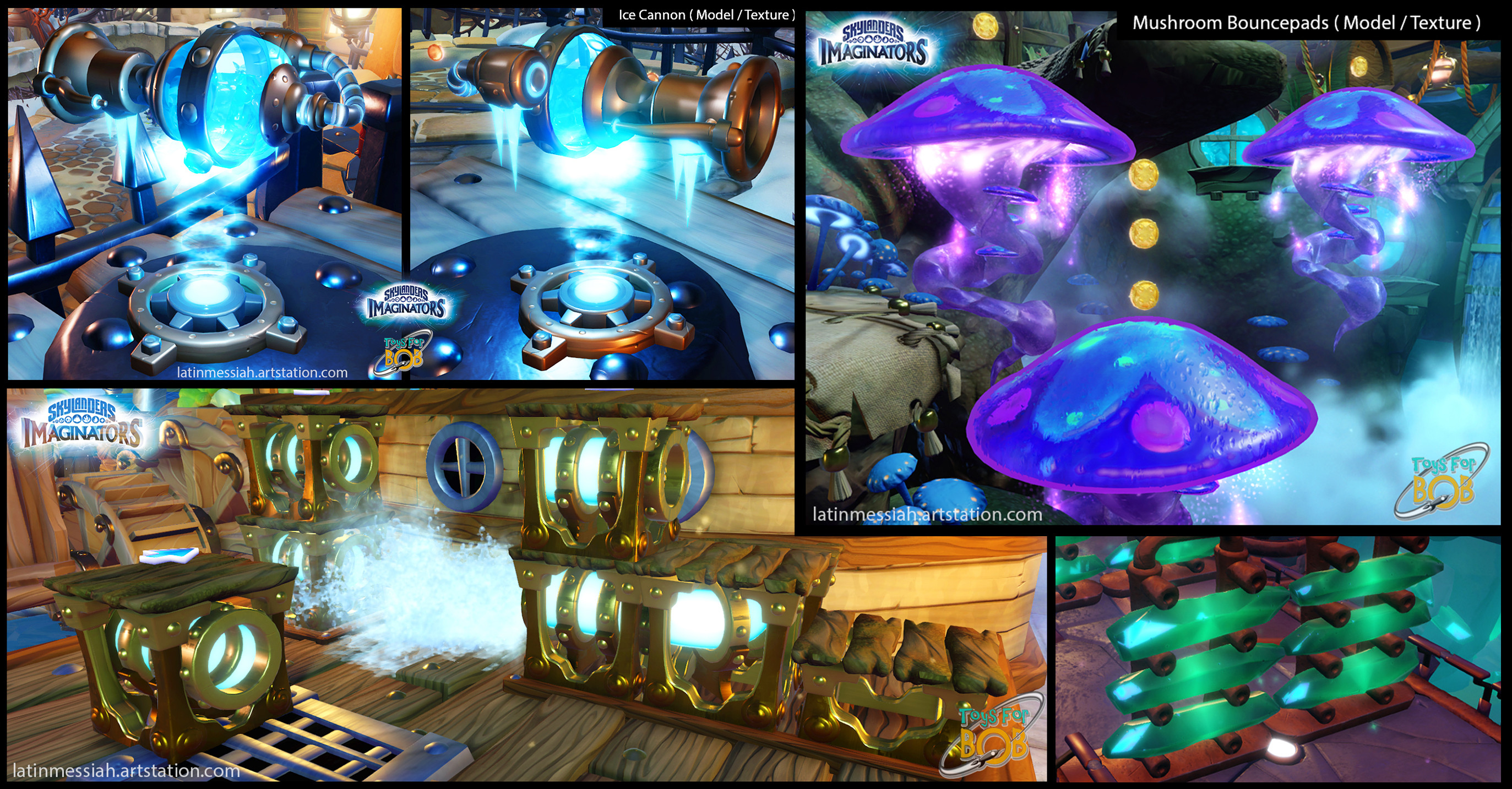
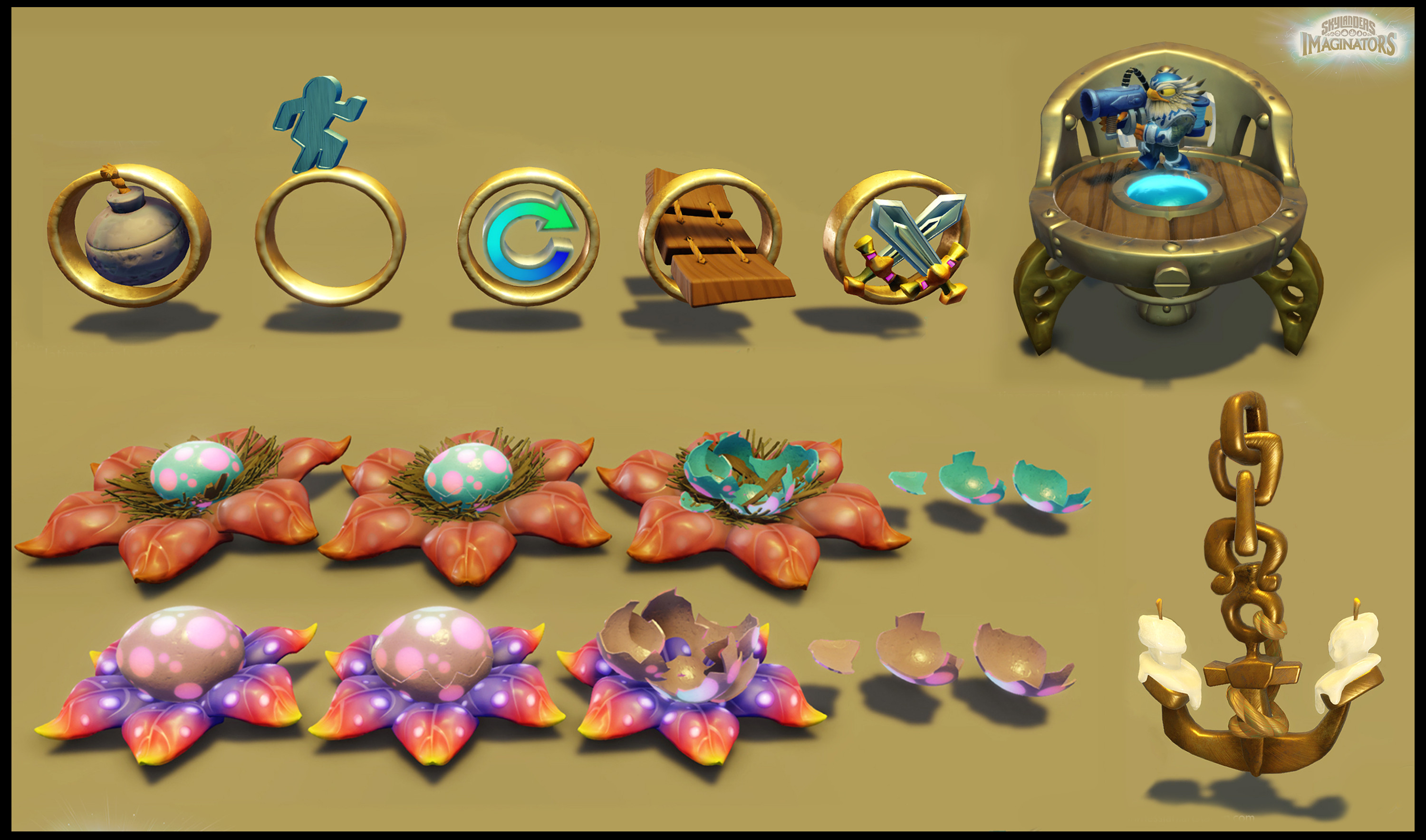
That's a ton of props! And that isn't even all of the work he has! Major props (hehe) to Roberto for the insane amount of work put into this! Maybe I should replay Imaginators after all...

Thursday, May 2, 2024

Christian De Pedro | Skylanders Academy prop design

Alright these are probably the coolest concepts I have seen for the show which I uh, have never really talked about here... Even though I have binged it- lets see... A few too many times to count? 

I suppose I should also make a tag for the show now.

Real quick before we delve into these amazing works we have Christian's art page right here if you want to check out more! Let's kick off with a few environments: The full link

The arena / prison

An absolutely stunning painted hallway

Malefor's islands

I cannot stress how much I adore this matte painted style of Christian's works, it makes me wish I could be in these places and live in Skylands. I also aspire to reach this level of painting... But with my gushing out of the way, here's a few props they also painted together: The full link

Is it just me or does that cheese look really good right now...

Ah the iconic Dread-Yacht!

Sail away~

And lastly we have the paintings from Eon's explanation to Spyro, also giving us a full resolution closer look at the dragons! The full link, again.

For a better look you can click to enlarge the images

I could probably be going out and praising their artworks for days on end, but you're most likely just here for the Skylanders content. Again I will urge you to actually go to their website and appreciate the rest of their works, I also left out a few concepts you can find on their page. 
Thank you for sticking around! 

Tuesday, April 30, 2024

Skylanders Superchargers and how the models work

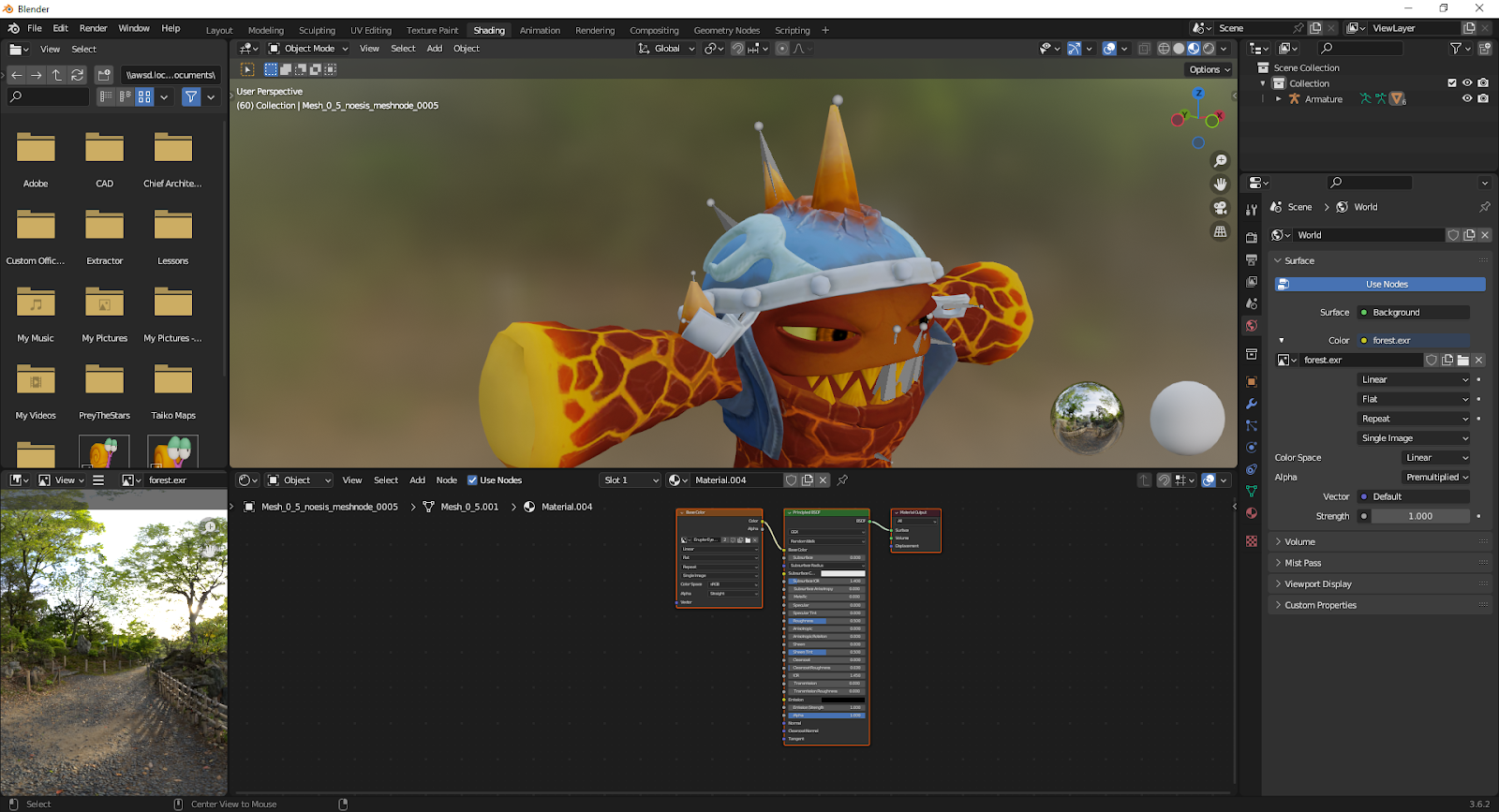
To all the potential tech and 3D model nerds scrolling my page, or if you've stumbled upon my Skylanders rips online, (which haven't been approved to The Models Resource yet at the time of writing this) I've decided to make a post explaining Skylanders Superchargers models and how to properly set up the nodes in Blender! This probably works for the models from other games but I haven't gotten around to ripping those apart yet.

Blender Render of Lava Lance Eruptor with a basic lighting setup

For this particular instance I'm going to be using the WiiU models that I ripped. And I'm going to be using Eruptor since he is a good instance for having all of the textures I need to cover.

First thing's first, import the DAE of the Skylander you're using (yes, this tutorial is for beginners too) and you might have a fully textured model already. If it doesn't have textures already hooked up then... oops. First thing might look nice already but it doesn't have any of the extras plugged in, you're going to have to do that yourself.

No extra textures plugged in yet...

And the Shading tab in the top of the screen is where most of our work will be carried out.


As you can see, those blocks below are nodes, and that large green one is where everything will be plugged into. Add more image texture blocks and find the textures that correspond to your part.

These are the textures we are using, in reading order we have the Color, Composite, Normal, and Emissive maps

Just plugging these in directly won't do much, a lot of these have prior setup required. Let's start off with the composite since there isn't too much difference from adding it unless it's a metallic prop.
Add a Separate Color node and connect the composite, and plug the green channel to specular and the blue channel to metallic. One of the more simple node setups. 

Now for the emissive:
Plugging in the emissive right now won't look correct, you have to add a color mix node.


Add a color mix node and place it with your regular body color and emissive texture. Connect the emissive to channel B and connect your regular body to channel A. (Don't disconnect your color from the base color! One texture can connect to multiple nodes.)
Now set your color mix node to Multiply and the factor to 1.000 and now the result good for plugging in! You can adjust the emission strength to your liking for however bright you want the lava to be.

Now for the normals which are the most important texture, even if you don't want the other textures, I would recommend adding the normal map. Skylanders has a strange problem with normals where the red channel is inverted, but luckily Blender can fix it no problem with one extra step! To fix the normals add a RGB Color Curve node and plug in the normal, flip the red channel in a straight line.
(Click to enlarge the images if you need to understand this step better)

Now add a Normal Map node from the vector node section and plug the curve output into that node. The normal can now be properly plugged in!
Before and After adding the nodes

Have fun messing with your models now!

Tuesday, April 23, 2024

Bill Tiller | Environment Concepts

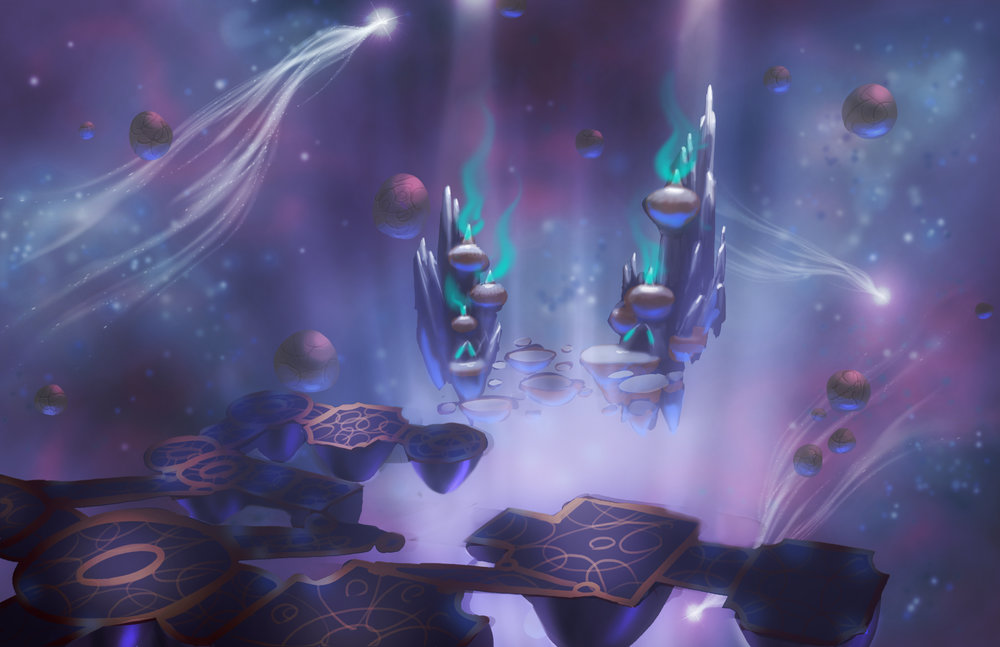
Bill Tiller worked as a senor concept artist as Toys for Bob on Imaginators, primarily working on props and environment designs.


Cool environment concepts!

These two seem to be for the Life sensei realm and... I actually haven't played Imaginators (My least favorite of the games, not sorry) in a long time so I'm assuming this might be the light realm? The only realm I don't have access to is the dark realm, so I have never seen it...


The dolls from the tech sensei realm. 


Of course, I always make sure to leave some stuff out of posts to let people support the artists by directly visiting their respective pages, here is Bill Tiller's website, holding a few more Skylanders concepts and tons of other cool art! https://www.billtillerart.com/skylanders

Tuesday, April 9, 2024

Anthony Avvento | Skylanders Swap Force 3Ds and Count Moneybone

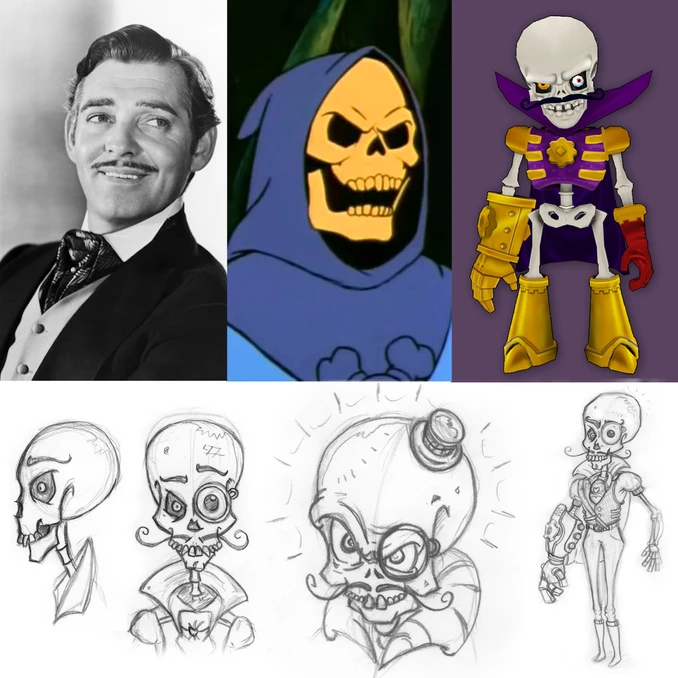
Anthony Avvento designed a ton for Skylanders Swap Force 3Ds including making Count Moneybone's design. 

Even citing Clark Gable and Skeletor as inspirations for the design!

Throughout the game Moneybone's suit becomes more elaborate with each fight

I personally think Moneybone is criminally underrated for being such a fun character, I almost never see him mentioned in most Skylanders media. He's pretty charming for being a villain (I would say thanks to Clark Gable's part in the design) I love his overexaggerated voice and grandiosity. 

There's a more concepts on Anthony's site such as for Moneybone's robotic monstrosities, please support the artists!

(Fun fact, Count Moneybone was actually introduced in Swap Force 3Ds and not Superchargers)

Tuesday, March 19, 2024

Skylanders Superchargers concept art

From Lisa Wiley who worked on Skylanders Superchargers, several pieces of concept art and level sketchovers! Also an earlier version of Splat seems to be present in some of the level sketchovers. There are more on their site which is why I didn't upload everything here as I urge you to visit their page and look at their amazing art for youself, Lisa Wiley's art site!


Character concepts:

Fox clothing concepts for Cloudbreather's Crag

Level concepts and sketchovers:


An early splat design appears in the latter two, probably an in-between design of Splat and Inkwell.

Again, there is a ton more on their website that I didn't upload here, please look at their work from the source!

Sorry for the brief post hiatus! I was busy working on other things and I kinda forgot that I ran this site in the first place, I did wish I had some help here, I still need to work on the dark mode button... 


Friday, December 8, 2023

Skylanders Commercial Designs

For some reason the Skylanders Trap Team commercials actually have a lot of publicly available concepts, including for the Skylanders themselves!


Daniel Garcia

Jesse Sandifer

Victor Hugo

Daniel Kho


Spyro Dive-Clops